






- 01000502545
-
This email address is being protected from spambots. You need JavaScript enabled to view it.
TS-464



Overview
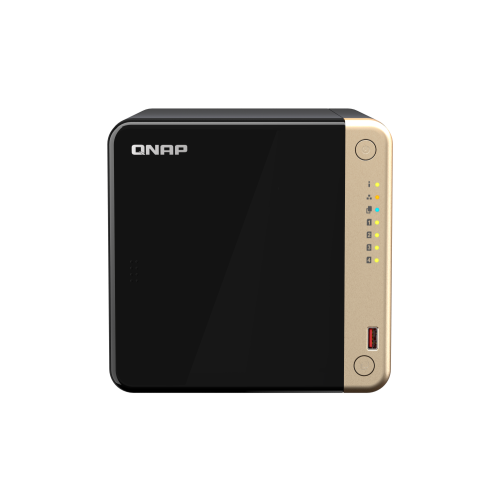
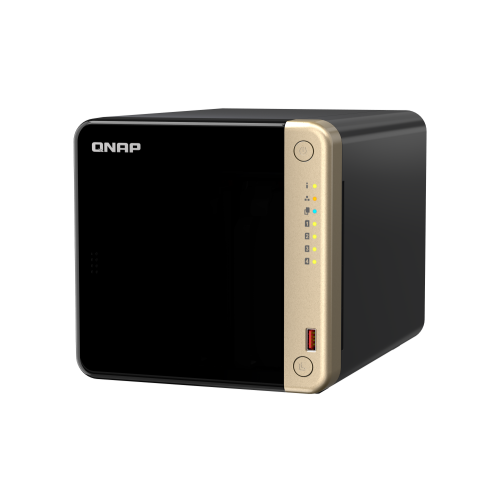
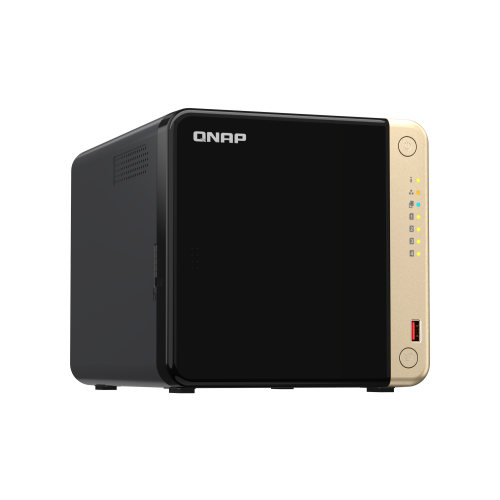
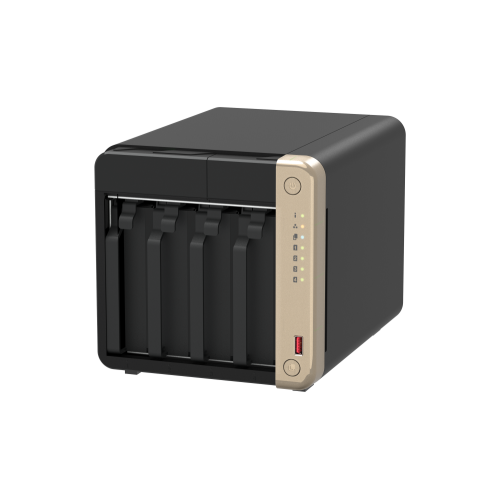
TS-464 is a compact 4-bay NAS with superior performance. Supporting up to 72 TB storage and 4 TB M.2 SSD caching* at an affordable price, the TS-464 fulfills your multitasking challenges for file management, backup, collaboration, and video conversion.
The TS-464 uses the QTS operating system by default. You will be able to switch to using the QuTS hero operating system. QuTS hero provides benefits such as ZFS data integrity and WORM technology to prevent data tampering. (Switching to QuTS hero is supported starting from QTS 5.2.1)
2.5GbE is a must!
TS-464 is as fast as a single-port 10GbE NAS with up to 589 MB/s transfer speeds by setting port trunking with the two built-in 2.5GbE (2.5G/1G/100M) ports.
Quad-core for multitasking
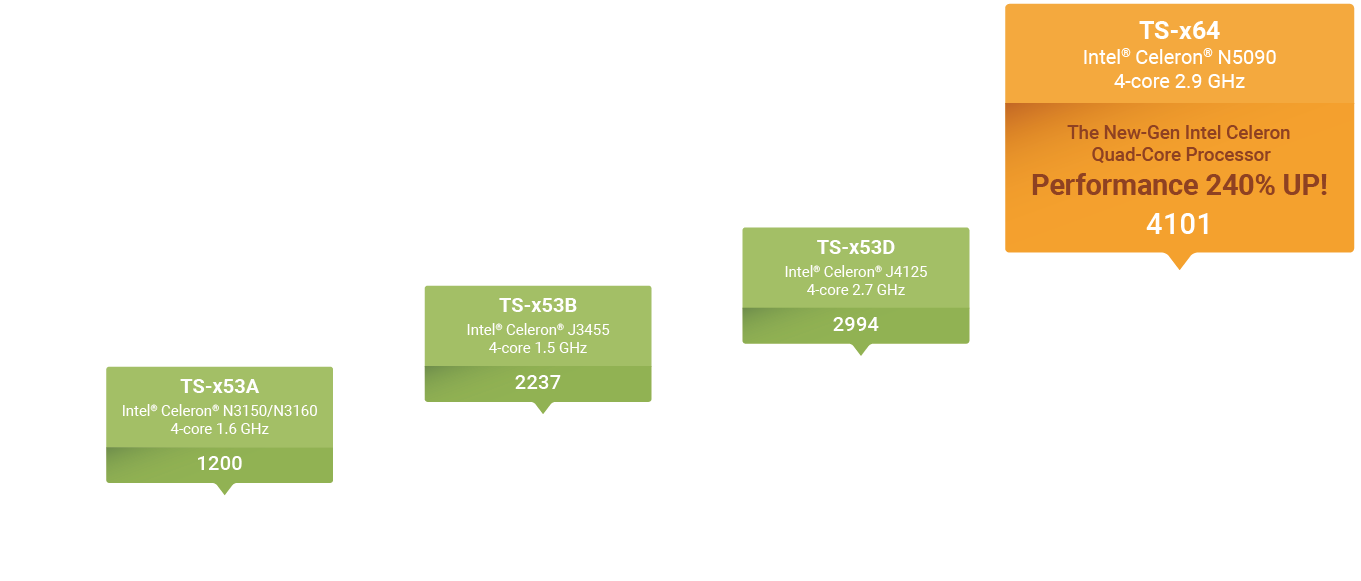
Perform additional tasks, stream more media, and have more services running with an Intel® quad-core processor optimized for multitasking.
Smooth video conversion
Built-in GPU for enhanced video conversion, allowing videos to be smoothly streamed from the NAS to mobile devices.
Upgrade to dual-port 10GbE
Futureproof your network connection by installing a PCIe dual-port 10GbE network card that delivers up to 1,647 MB/s transfer speed.
Faster USB transfer
Two USB 3.2 Gen 2 (10Gbps) ports allow faster backup to/from USB devices.
More M.2 NVMe SSDs
If two M.2 slots aren’t enough, install a QM2 PCIe expansion card for more M.2 SSD slots.
2.5GbE NAS is a must in 2024
With increasing availability on switches, motherboards, and laptops, 2023 is the year of 2.5GbE. The 2.5GbE TS-464 NAS is as fast as a single-port 10GbE NAS. By setting port trunking with the two built-in 2.5GbE (2.5G/1G/100M) ports to unleash network potential and increase fault tolerance, TS-464 delivers up to 589 MB/s transfer speeds.
New-generation quad-core processor for optimized performance
Processor
Intel® Celeron® N5095 quad-core processor, burst up to 2.9 GHz
Memory
Built-in 8 GB DDR4 memory
GPU
Built-in Intel® UHD Graphics to speed up video processing and graphical computing
Encryption Engine
Features Intel® AES-NI 256 hardware-accelerated encryption to boost system performance while securing sensitive data
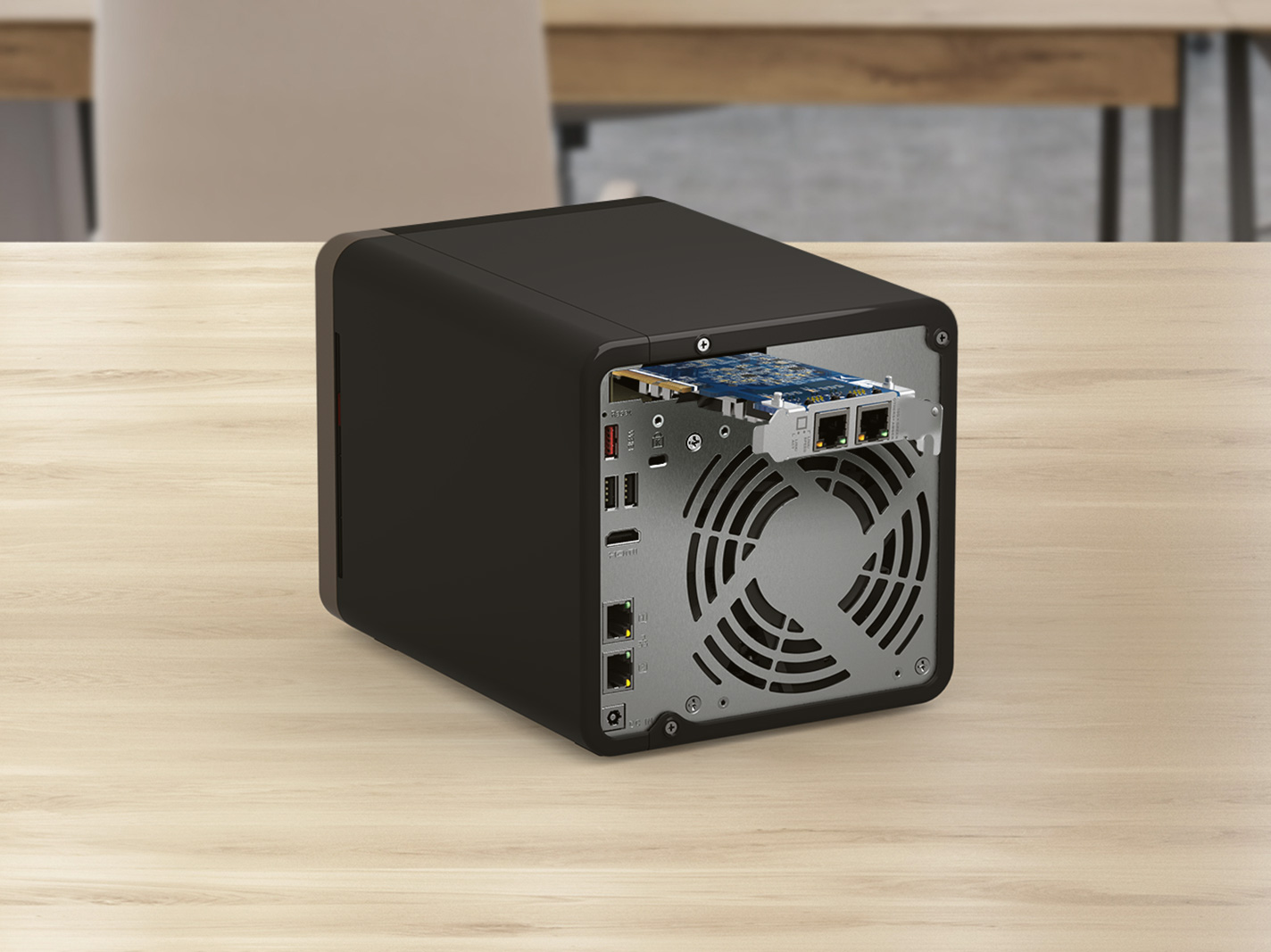
Upgrade to dual-port 10GbE with a PCIe network card
With a superior hardware design, you can install a dual-port 10GbE network card QXG-10G2TB in the TS-464. Combining 10GbE networking, quad-core processor, and M.2 SSD caching, the TS-464 unleashes its full performance potential.
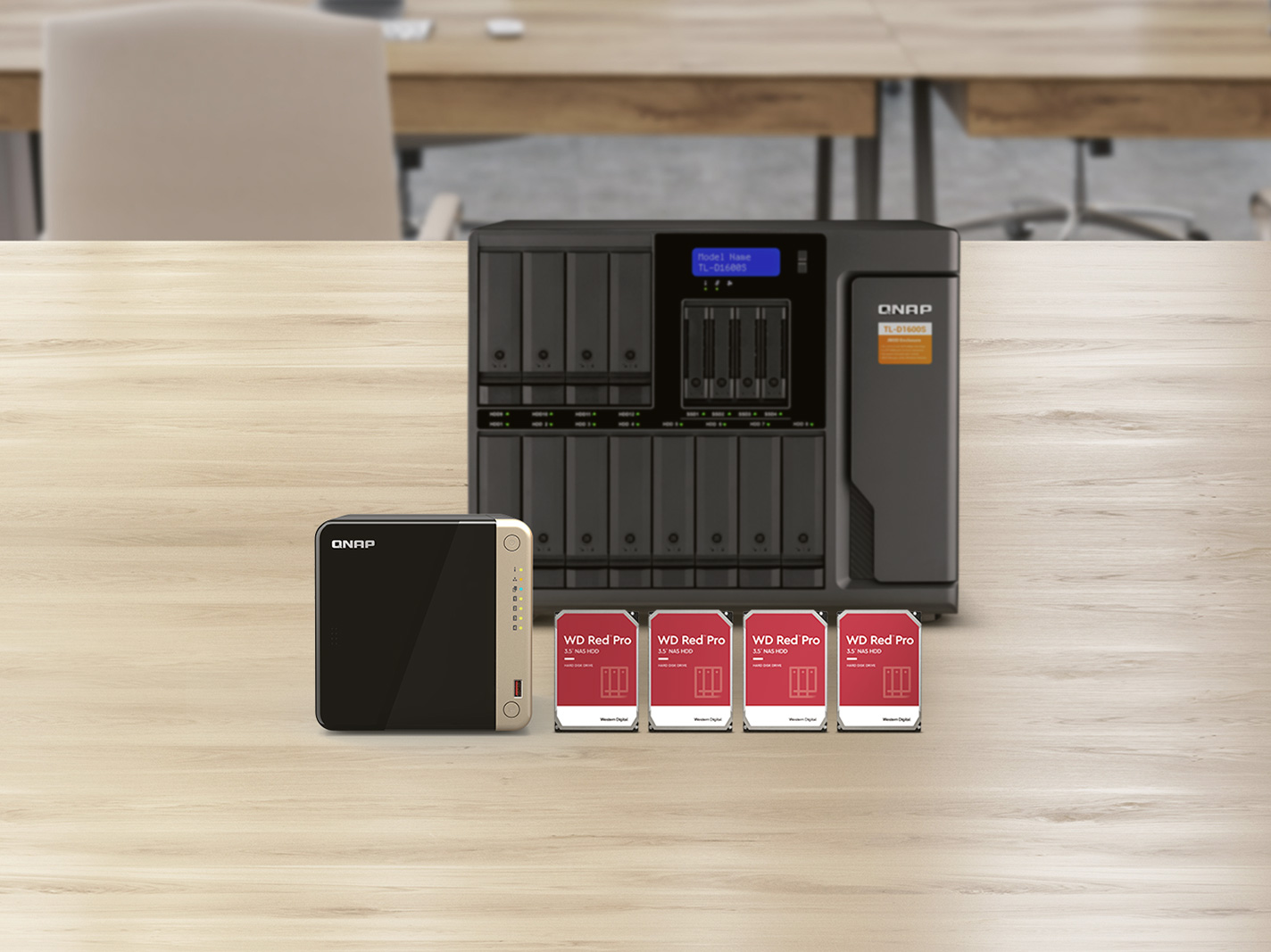
Expand storage capacity up to 16 hard drives
TS-464 supports a storage capacity of up to 72 TB by installing four 3.5-inch 24 TB hard drives in RAID 5. By connecting a TL-D1600S QNAP storage expansion unit, you can add an additional twelve hard drives to the TS-464 to achieve up to 330TB storage space to meet growing storage requirements.
Accelerate AI–powered image recognition and caching with TPU and PCIe expansion
TS-464 has two M.2 PCIe Gen 3 slots for installing NVMe SSD (including Apacer®, Micron®, Seagate®, WD®, and more) or Edge TPU.
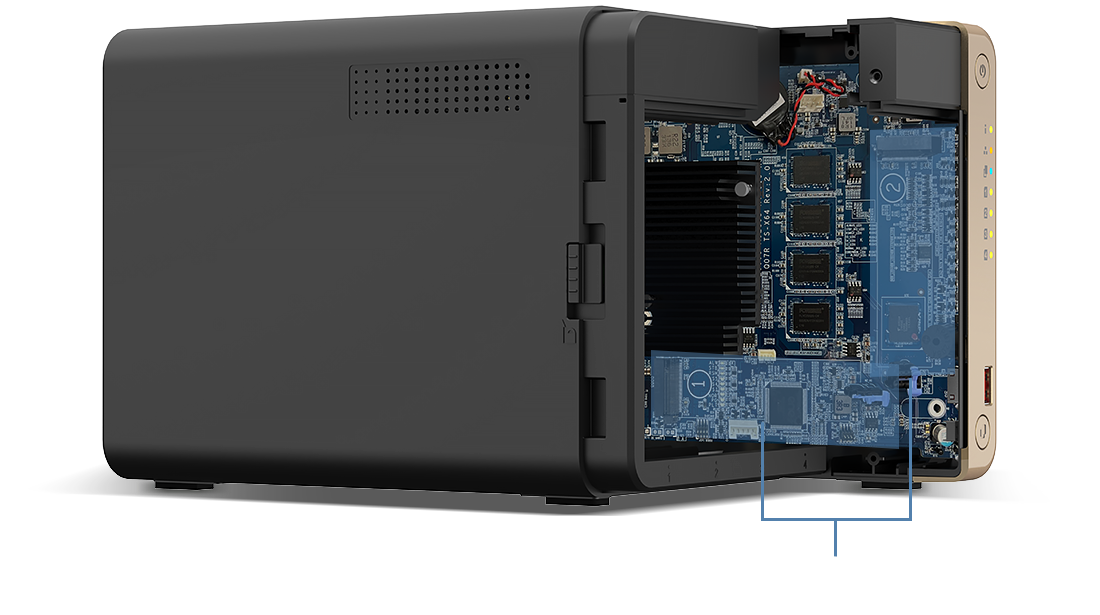
Install M.2 NVMe SSDs for cache acceleration or efficient tiered storage
If you have a huge number of small files requiring read/write operations, you can easily boost IOPS of TS-464 by configuring its two M.2 SSDs as a cache disk.
When transmitting bigger files, you can create a storage pool with two M.2 SSDs. With Qtier automatically moving hot data to SSD and cold data to hard drives, TS-464 allows you to enjoy exceptional application performance.
Accelerate AI–powered image recognition with TPU
By leveraging a Edge TPU to QNAP AI Core (the AI-powered engine for image recognition), the TS-464 can perform high-speed face and object recognition. Edge TPU enables QuMagie to quickly process thousands of photos with high-speed AI Image recognition and classification, and QVR Face to analyze real-time video for instant facial recognition.
Abundant I/O capabilities with PCIe expansion
QNAP offers a wide range of expansion cards to add versatile functions to your NAS. The TS-464 has one PCIe Gen 3 x2 slot that supports various expansion cards for expanding application potential.
QM2 card
QM2-2P10G1TB
Add a 10GbE port and two M.2 SSD slots at the same time.
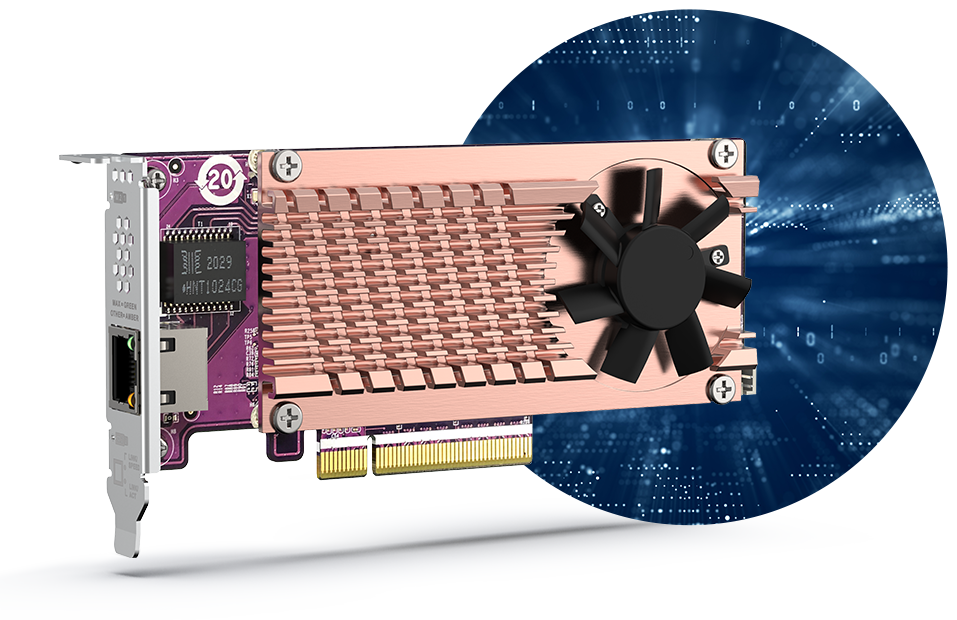
QM2 card
QM2-2P-344A
Add two M.2 SSDs to create a storage pool with larger capacity caching with the built in M.2 SSDs.
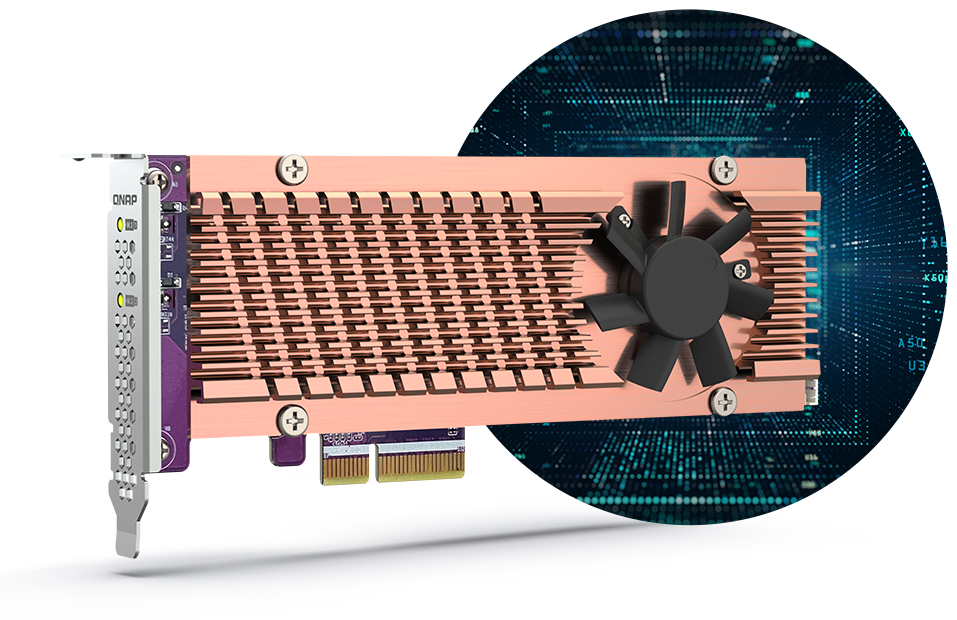
Wi-Fi 6 adapter
Install a Wi-Fi 6 adapter to turn the TS-464 into a Wi-Fi NAS, allowing accessing NAS data via wireless network.

One Touch Copy backup with USB 3.2 Gen 2
TS-464 provides two 10Gbps USB 3.2 Gen 2 ports for faster file transfer to/from USB 3.2 Gen 2 devices. The One Touch Copy button also allows you to back up the contents of USB devices to the TS-464 with a single button press.

Smoother mobile experience with GPU
Taking a lot of photos with your smartphone? Qfile mobile app will help you free up space by automatically backing up photos to the TS-464. With Intel® UHD Graphics, the TS-464 greatly speeds up converting videos to 1080p / 720p, allowing for smooth streaming to mobile devices over varying mobile network speeds.

Use your NAS like a PC
QNAP’s exclusive Virtualization Station enables running multiple Windows®/Linux® virtual machines. By connecting a keyboard, mouse, and HDMI™ monitor, you can easily use the TS-464 as a PC.

QTS 5, Fast, smooth, and easy-to-use!
The TS-464 comes with the QTS 5 operating system as standard, providing a next-generation usage experience with an updated system kernel, optimized user interface, and advanced security features.
Brighter. Smoother. You’ll like it.
When navigating QTS 5, you will notice a finer attention to detail for a superior browsing experience. Enjoy a smoother NAS experience, comfortable visual design, and find your favorite apps quicker.
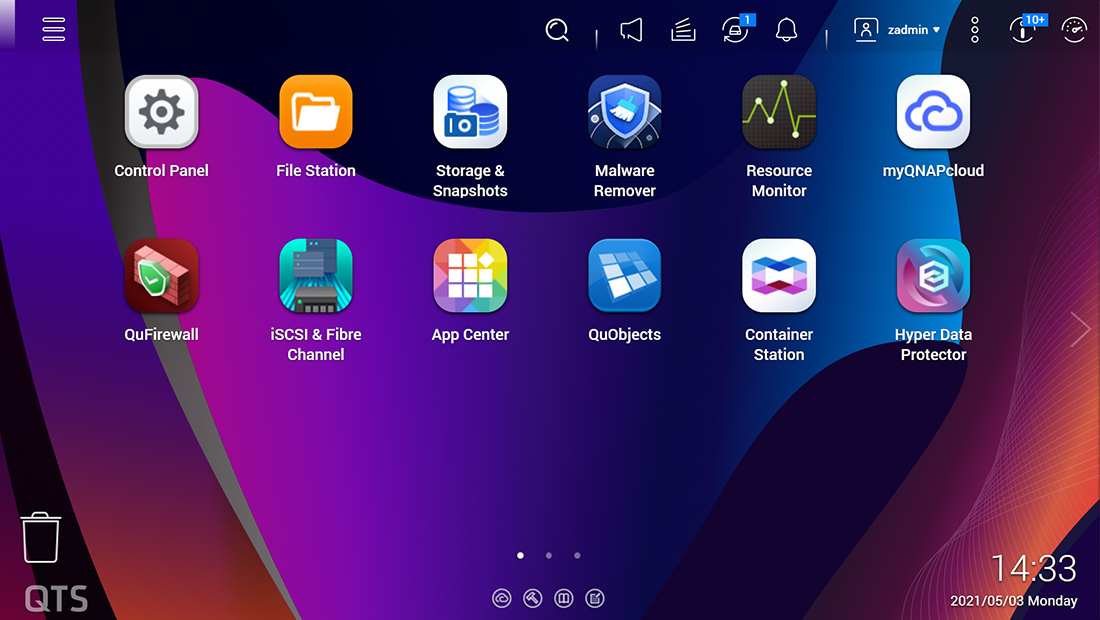
Get started with the notice board
When performing first-time installation, the notice board guides you through the setup process. Simply follow the step-by-step instructions for a quick and easy setup.
Smooth and reactive user interface
Whether clicking buttons, switching between apps, expanding/collapsing windows – every action is much smoother. The search bar in the main menu also assists in quickly finding desired apps.

Switch to QuTS hero operating system
for optimal data integrity and reliability
The TS-464 also supports QuTS hero - QNAP’s ZFS-based NAS operating system, providing end-to-end data integrity, WORM protection, data reduction (inline data deduplication, compression, and compaction), and much more.
Backup ・ Storage ・ Surveillance
Simple Backup
Superior hardware performance with an all-in-one Backup Solution to speed up backup/recovery tasks.
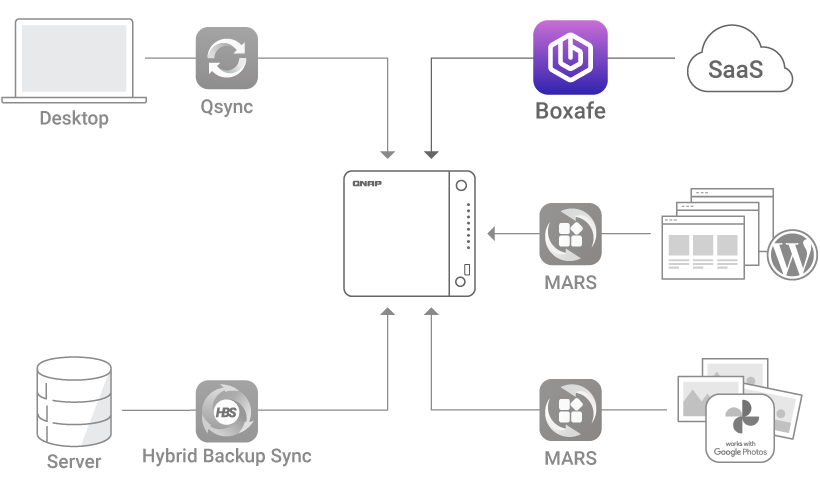
Back up all your devices
PC and Mac backup
Sync your computer files to NAS with Qsync. TS-464 also supports Time Machine for Mac computers.

License-free VM backup
Back up multiple VMware® and Hyper-V™ VMs using Hyper Data Protector.

File server backup
Supports multiple protocols such as Rsync, FTP and CIFS for backing up different file servers.

SaaS Business Backup Solution
Use Boxafe to easily back up Google™ Workspace and Microsoft 365® business account data.
Google Photos and WordPress backup
The exclusive MARS service enables backing up Google Photos and WordPress databases and files to NAS.

Remote Replication for NAS data
Back up data from one NAS to another NAS
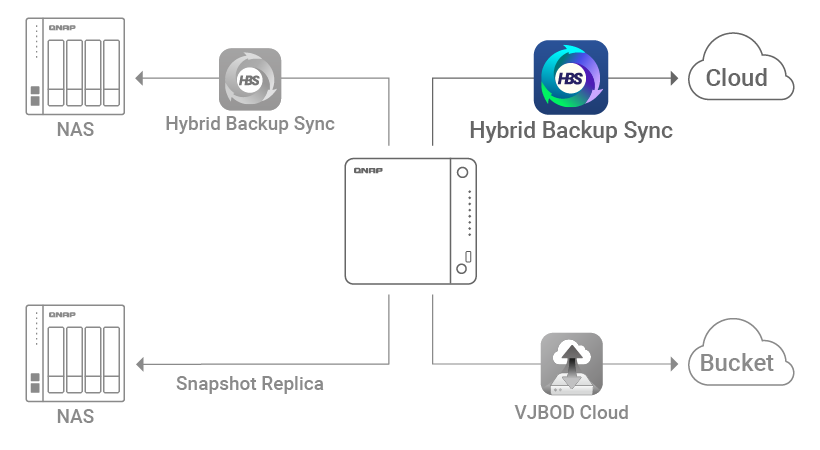
Back up data on a local NAS to another remote NAS using Hybrid Backup Sync. You can also deduplicate your backup using QuDedup to save time and storage space.

Back up NAS data to the Cloud
Hybrid Backup Sync supports mainstream public cloud services for backing up or syncing data from NAS to Cloud.
Cloud Storage Gateway
VJBOD Cloud connects cloud object storage (Bucket) and back up data from NAS to the cloud.

Back up NAS snapshots
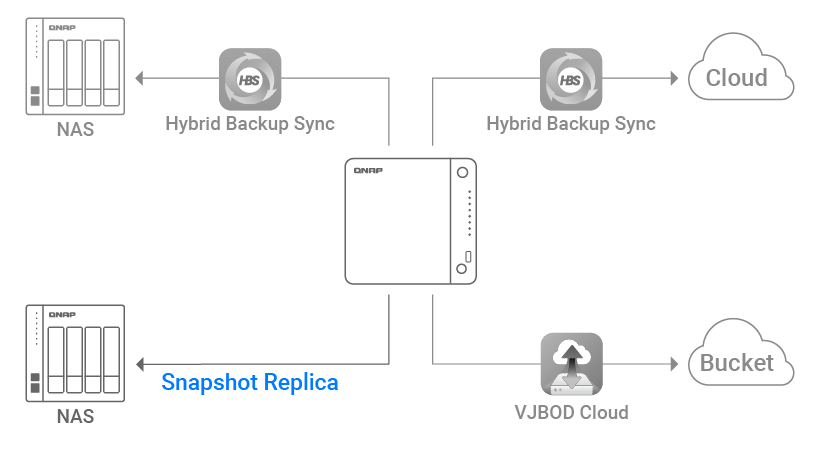
Use Snapshot Replica to back up NAS snapshots to another NAS and recover when needed.
Smart storage
QNAP’s exclusive apps provide easy-to-use file storage and collaboration tools. Snapshots also help protect important data from Ransomware.
Snapshots protection
Volume and LUN snapshots
”Snapshots” record the complete status of your NAS system and data. Certain data and files can be reverted when needed.
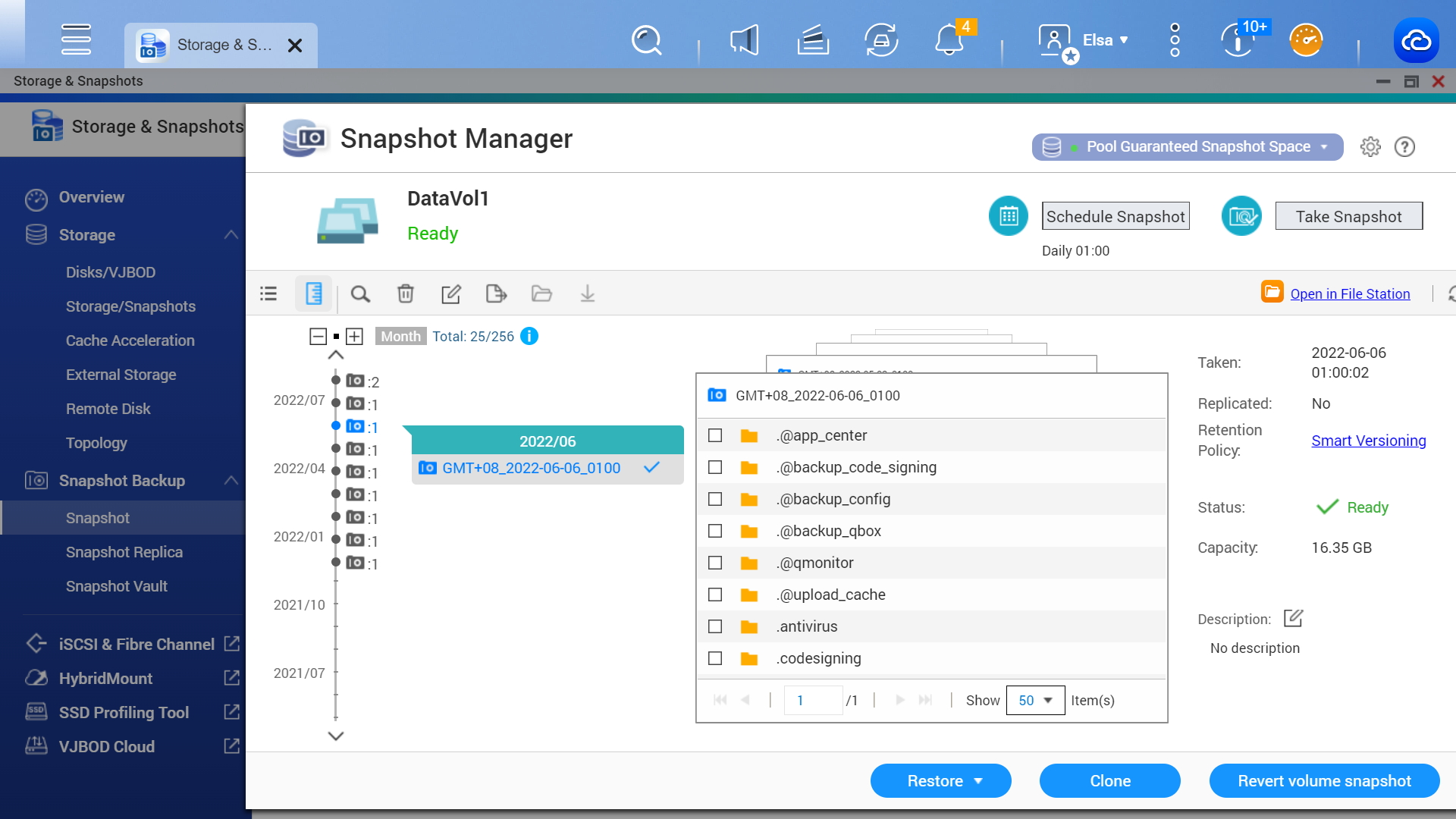
Versioning
Regularly create snapshots. The more snapshots you have, the lower the risk of data loss.
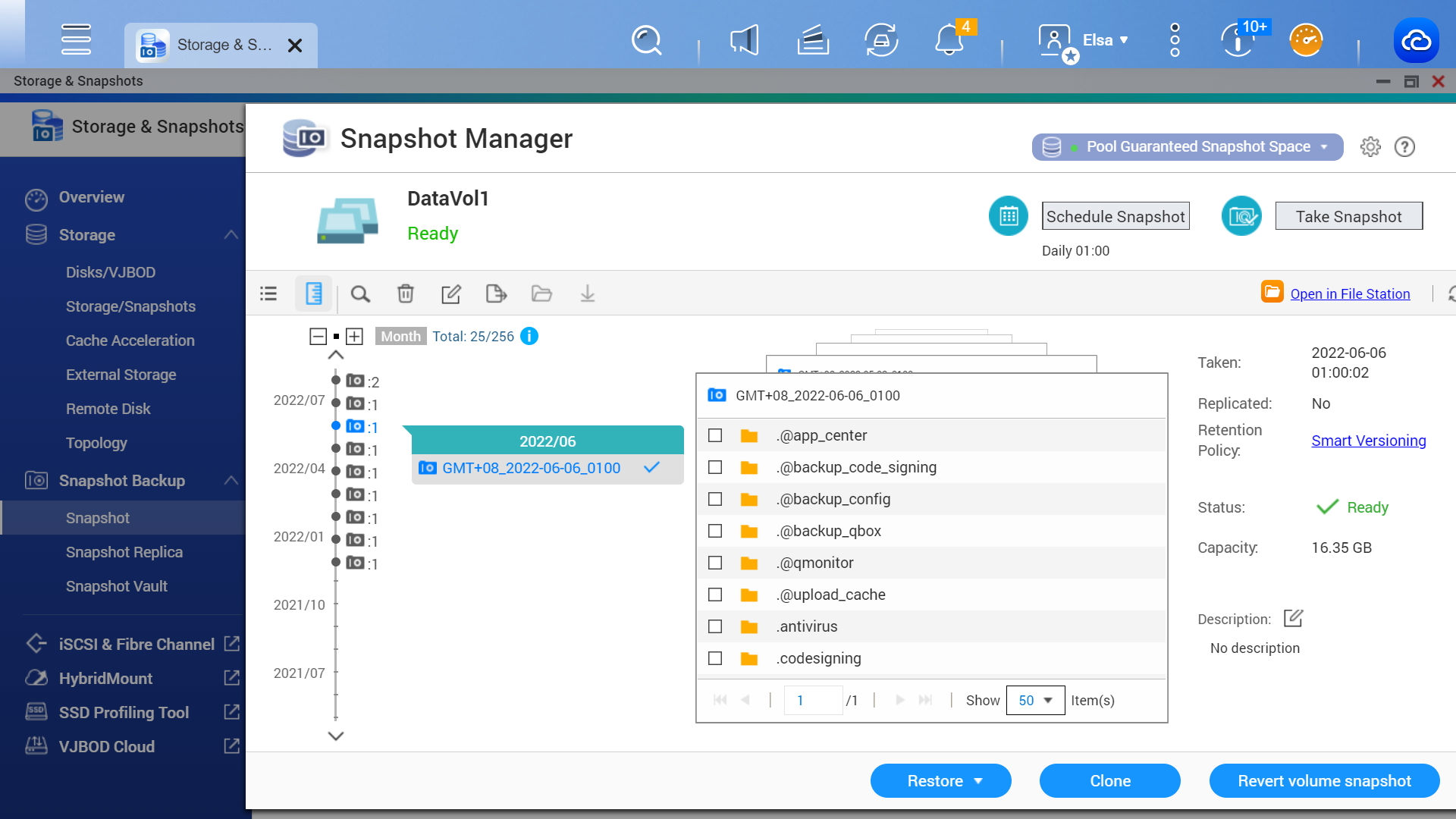
Smart snapshot space management
QNAP supports smart snapshot space management to ensure there is enough storage space for new snapshots.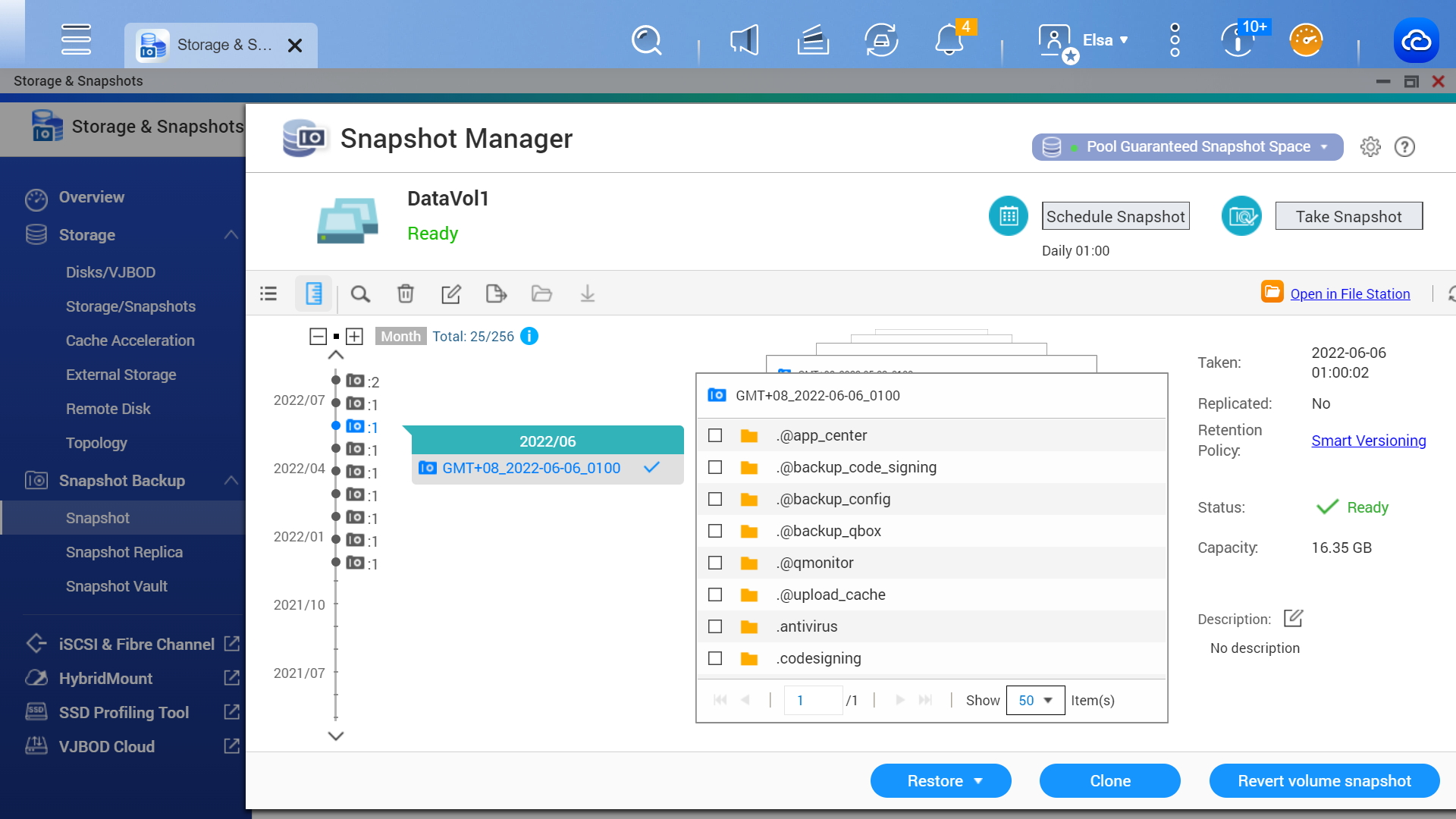
Boost production efficiency
Sync files between NAS and multiple computers or mobile devices.
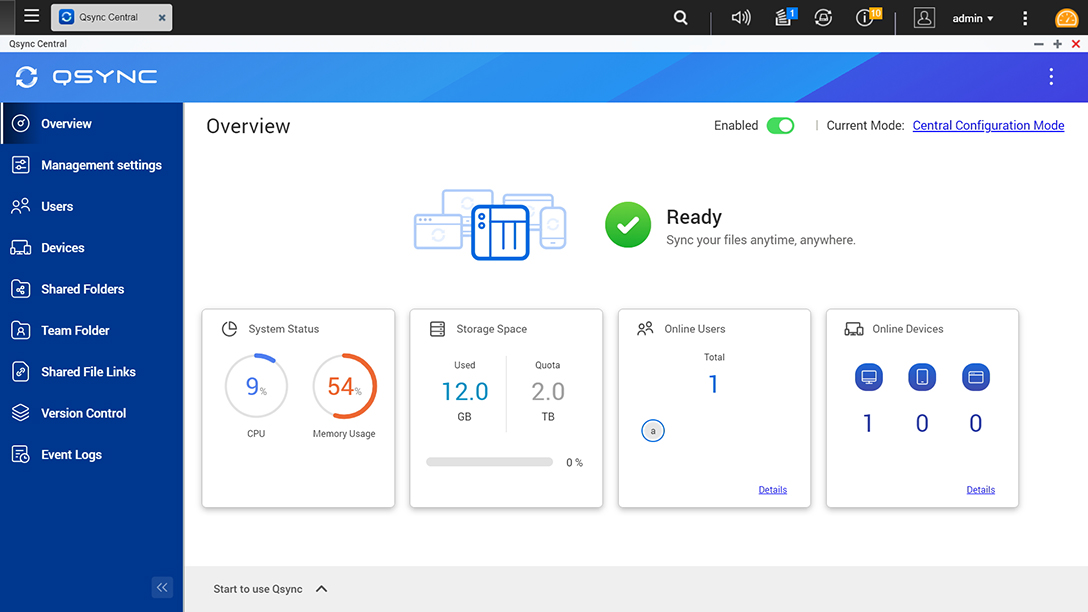
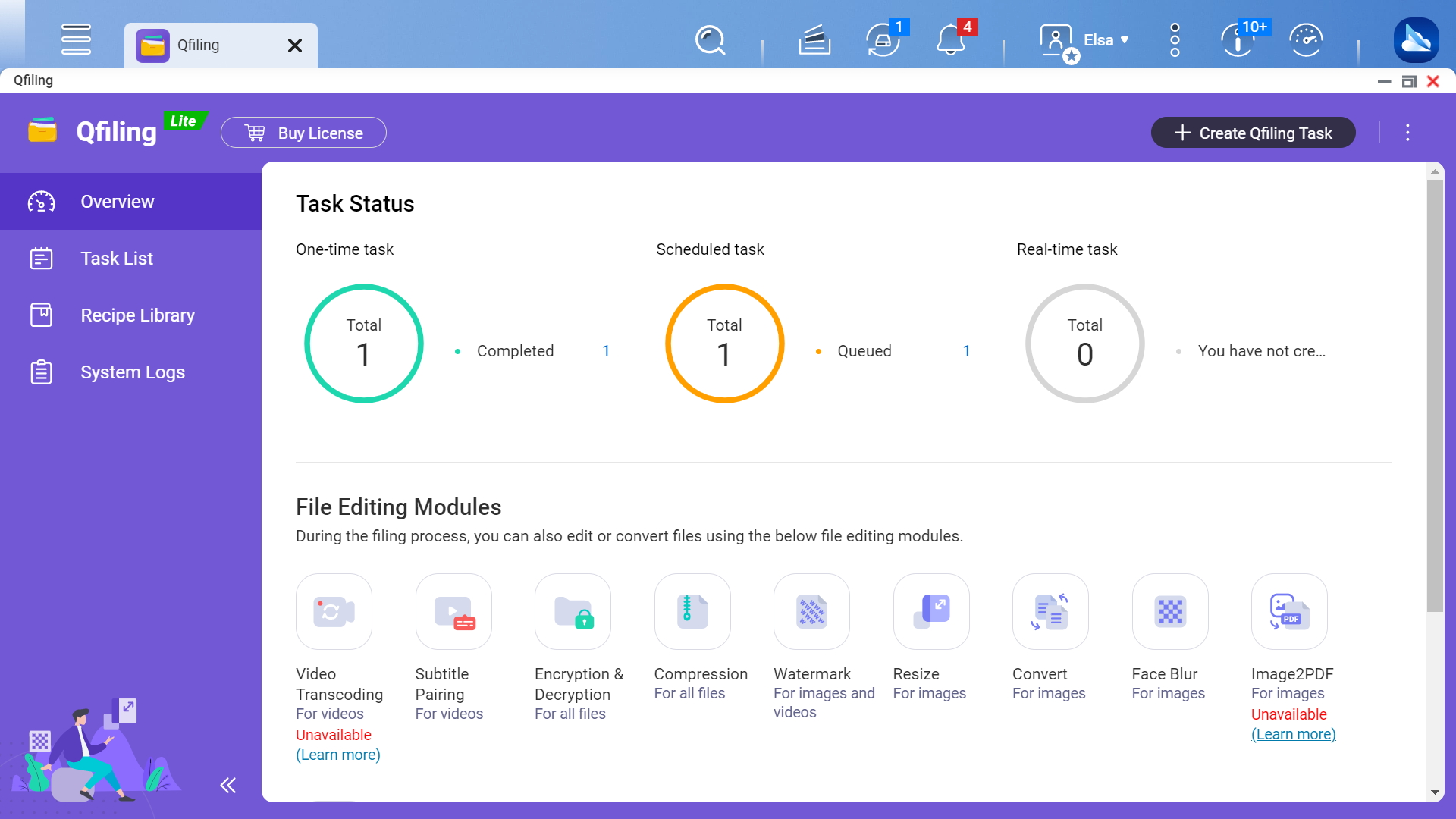
Quickly find documents, media files, and emails using key words, colors, or faces.
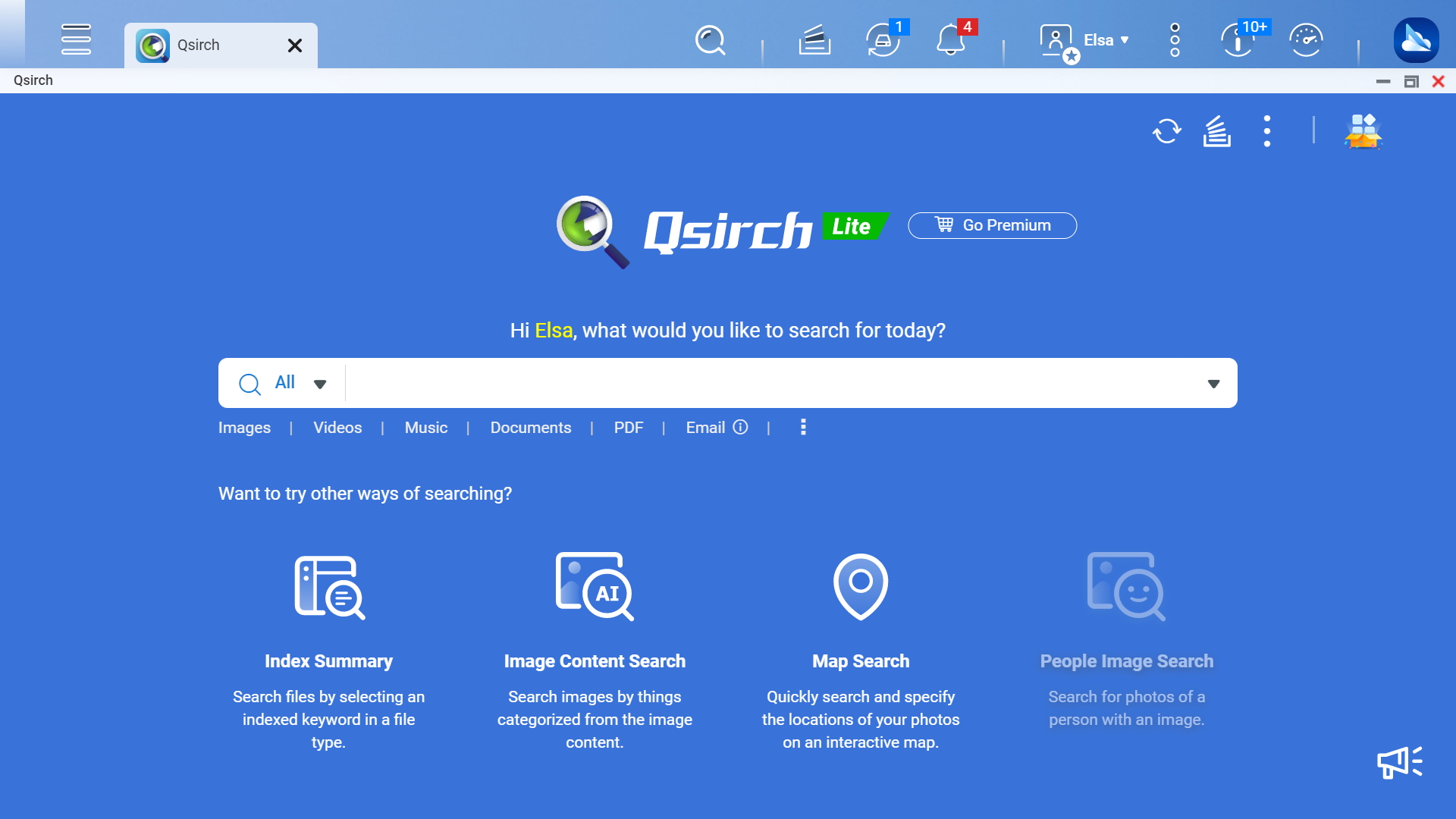
Create filing rules and set schedules to automatically archive files into dedicated folders based on their category.
TS-464 leverages powerful AI photo management and creates smart photo albums based on people, objects, locations, and events, making photos easy to find and share.

Smart surveillance
TS-464 provides a professional surveillance NAS solution, compatible with 6,000+ IP cameras of 190+ brands and thousands of ONVIF network cameras.
Build surveillance with affordable deployment costs
All-in-one surveillance
Say goodbye to expensive and complicated PC NVR. QNAP’s integrated surveillance NAS solution offers a subscription licensing solution or perpetual licensing solution for flexible deployment based on your needs.
Connect to HDMI™ monitor
TS-464 supports has HDMI™ output for direct surveillance video playback, removing the need for a dedicated workstation.
Surveillance failover
Install the high-availability QVR Guard app to automatically takeover recording tasks if a QVR Pro server fails.

Live surveillance monitoring, remote management, and smart AI
Live surveillance video monitoring
Monitor live feeds and receive alert event notifications from client applications on PCs or mobiles.

Large-scale central management
Centrally control up to 256 Surveillance NAS (licenses sold separately) in different locations via QVR Center.

AI surveillance event search
Instead of manually searching through a whole day of event videos, QVR Smart Search helps you efficiently search through hundreds of hours of video recordings from hundreds of cameras to find specific events.

MP4 surveillance videos
With GPU-accelerated video conversion, surveillance videos can be converted to various file formats or resolutions for smooth playback on multiple devices.

All-in-one solution for hosting virtual machines and containers
By running multiple virtual machines and containers on the TS-464, you can deploy multi-tenant environments and applications to increase management efficiency and save hardware costs. Coupled with the Network & Virtual Switch app that boosts interoperability between virtual machines, containers, QNAP NAS, and other physical devices on the network, you can flexibly allocate physical and virtual network resources to simplify network deployment.
Virtualization Station
Run multiple Windows®, Linux®, UNIX®, Android™, and QuTScloud virtual machines and access them via a web browser or Virtual Network Computing (VNC).
Container Station
Experience Docker®, LXD, and Kata Containers lightweight virtualization technologies, download apps from the built-in Docker Hub Registry®, import/export containers, and create abundant microservices.
Linux Station
Run Linux® applications directly on the NAS and remotely access the Linux® desktop from a web browser. The open-source Linux® platform is also ideal for Internet of Things development.
Enhanced cybersecurity and data protection
TS-464 is loaded with comprehensive privilege settings and security measures. Besides, there are abundant apps that help ensure optimal NAS protection against threats like malware and hackers.
Account security
Supports Azure Active Directory Domain Services (Azure AD DS), LDAP, and Windows ACL to help IT staff efficiently manage user accounts and access rights for multiple NAS systems. Use 2-Step Authentication for all user accounts to protect against brute force attacks.
Secure remote access
myQNAPcloud Link allows convenient remote connection to NAS through the Internet. Or you can use QVPN to set up a VPN connection to the NAS with enhanced security.
NAS Firewall
QuFirewall restricts and blocks suspicious packets sent by proxy servers and the onion routing (Tor) based on user rules. QuFirewall also dynamically updates its block list based on detected malicious packets.
Malware Protection
Regularly scan your TS-464 using the latest malware definitions. If infected files are detected, they are immediately removed to ensure NAS data security.
A health check for your hard drives
Hard drives are at the heart of your NAS, and ensuring their long-term health and reliability is absolutely crucial. QNAP provides various methods and tools to help you monitor hard drive health, ensuring that you can take proactive decisions to safeguard your data and files.
S.M.A.R.T. and back block scanning
If any of the S.M.A.R.T. values are reported as abnormal, or bad blocks are detected, you can take early action and replace drives before potential data loss occurs.

DA Drive Analyzer

Seagate® IronWolf™ Health Management

| NAS | |
|---|---|
| CPU Model | Intel® Celeron® N5095 4-core/4-thread processor, burst up to 2.9 GHz |
| CPU Architecture | 64-bit x86 |
| Memory | 8 GB SODIMM DDR4 (1 x 8 GB) |
| Drive Bays | 4 |
| Compatible Drive Type | 3.5-inch SATA hard disk drives 2.5-inch SATA solid state drives |
| Hot Swappable Drive | ✔️(Not supported M.2 SSD) |
| System Fan | 1 x 120mm, 12VDC |
| Power Supply Unit / Adapter | 90W adapter, 100-240V |
| Total Memory Slots | 2 x SODIMM DDR4 |
| Maximum Memory Capacity | 16 GB (2 x 8GB) |
| M.2 Drive Slots | 2 x M.2 2280 PCIe Gen 3 x1 Compatible with NVMe SSD PCIe Gen 3 and above. Please refer to https://www.qnap.com/compatibility/ for compatibility. |
| PCIe Expansion | 1 Slot 1: PCIe Gen 3 x2 Card dimensions for PCIe slot:190 x 68.9x 18.76 mm / 7.48 x 2.71 x 0.74 inches. |
| Form Factor (RU) | Tower |
| Hardware Encryption Engine (AES-NI) old | ✔️ (AES-NI) |
| Graphic Processors | Intel® UHD Graphics |
| Floating Point Unit | ✔️ |
| Hardware-accelerated Transcoding | ✔️ |
| Flash Memory | 4GB (Dual boot OS protection) |
| Wake on LAN (WOL) | ✔️ |
| Jumbo Frame | ✔️ |
| USB 3.2 Gen 2 (10Gbps) Port | 2 x Type-A |
| HDMI™ Output | 1, HDMI™ 2.1 (up to 4096 x 2160 @ 60Hz) |
| LED Indicators | Power/Status, LAN, USB, HDD1-4 |
| Buttons | Power, USB copy, Reset |
| Operating Temperature | 0 - 40 °C (32°F - 104°F) |
| Storage Temperature | -20 - 70°C (-4°F - 158°F) |
| Relative Humidity | 5-95% RH non-condensing, wet bulb: 27˚C (80.6˚F) |
| Power Consumption: Disk Standby Mode | 21.618 |
| System Warning | Buzzer |
| Max. Number of Concurrent Connections (CIFS) - with Max. Memory | 1500 |
| Kensington Security Slot | ✔️ |
There are no reviews for this product.

QSW-3216R-8S8T
Price: 36,700.00EGP
TS-873A
Call for Price:
QSW-308-1C
Price: 11,100.00EGP
QSW-M2108-2S
Call for Price:
QSW-1108-8T
Price: 9,000.00EGP
QSW-M408S
Call for Price:
QSW-1105-5T
Price: 6,000.00EGP
TS-473A
Price: 50,400.00EGP
TS-832PX
Price: 56,520.00EGP
TS-873A + QSW-1105-5T Bundle Pack
Price: 70,000.00EGP
TS-673A + QSW-1105-5T Bundle Pack
Price: 60,000.00EGP
TS-832PXU-RP
Price: 80,000.00EGP
TS-832PXU-4G
Price: 61,000.00EGP
TS-433-4G
Price: 25,000.00EGP
TS-855eU-8G
Price: 108,000.00EGP
TS-1232PXU-RP
Price: 100,000.00EGP
RackStation RS2825RP+
Call for Price:


